Engineering
Supabase Auth vs Authgear for Next.js: Which Should You Choose?
March 27, 2026
Most products today integrate with payment platforms, identity providers, messaging services, and analytics tools. Two communication models power the majority of these integrations: APIs and webhooks.

Most products today integrate with payment platforms, identity providers, messaging services, and analytics tools. Two communication models power the majority of these integrations: APIs and webhooks.
Both use HTTP, but they solve different problems. An API lets one application request data or trigger actions on another system. A webhook automatically sends data when a specific event occurs. Knowing when to use each — and how to combine them — is a core skill for building reliable integrations.
An API (Application Programming Interface) is a defined interface that allows one application to interact with another. APIs expose specific operations that external systems can call to retrieve data or trigger actions.
Most web APIs operate over HTTP and follow a request–response model: a client sends a request, the server processes it, and the server returns a response. APIs act as controlled gateways — instead of exposing internal databases or services directly, they surface only what external callers need.
A typical SaaS application might expose APIs to:
Because the client initiates every request, APIs are pull-based: your system fetches data whenever it needs it.
A dashboard that calls an analytics API on every page load is a classic example: the client pulls fresh data on demand, exactly when it needs it.
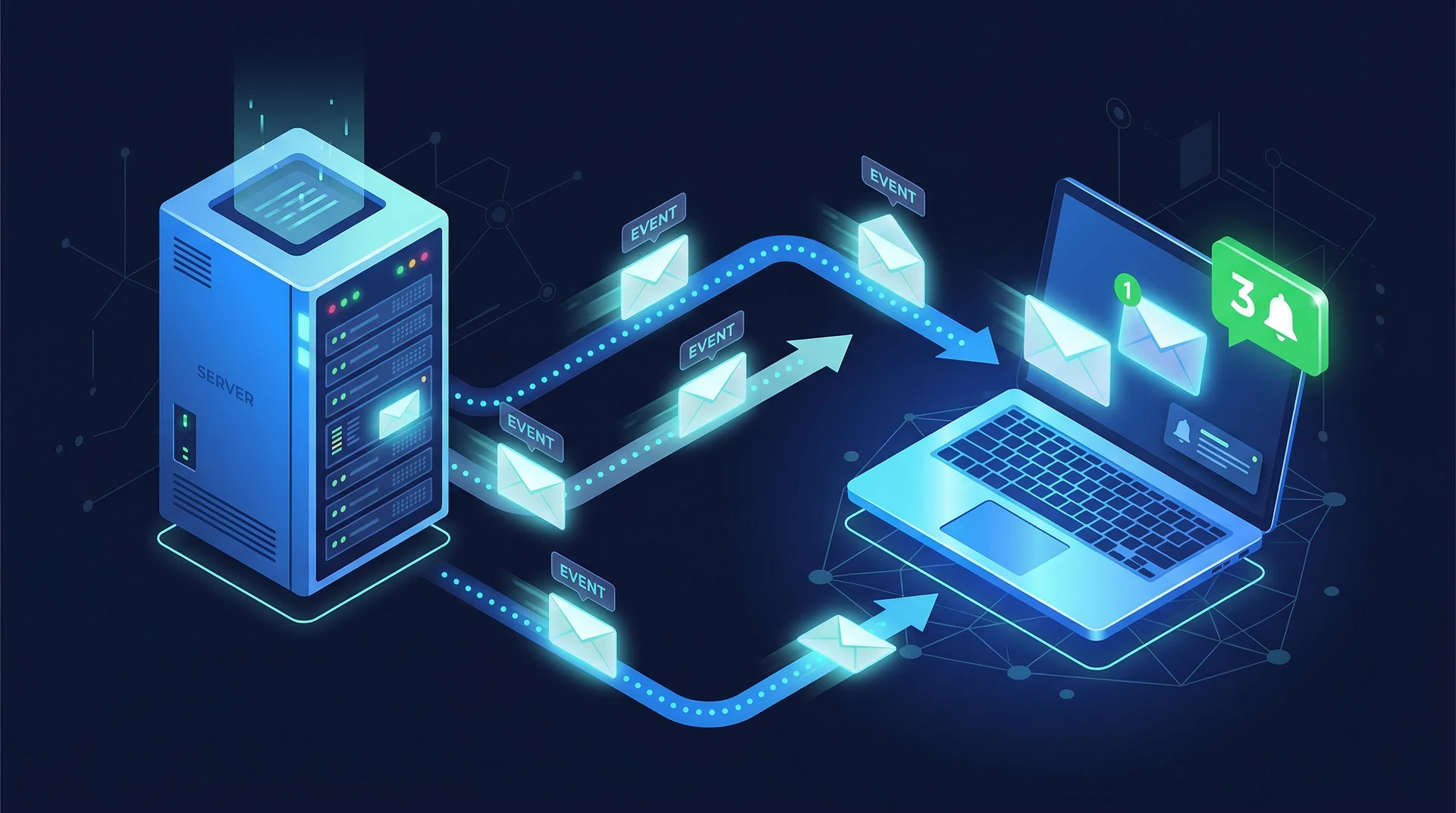
Webhooks work in the opposite direction. Instead of waiting for a client to ask, the system automatically sends data to a configured endpoint when something happens.
A webhook is an automated HTTP POST request triggered by an event. The sending system packages event data into a JSON payload and delivers it to a URL you register in advance.
Common webhook events include:
Because the server initiates the communication, webhooks are push-based: data arrives automatically when events occur, without your system needing to ask.
A typical webhook payload looks like this:
{
  "event": "user.login",
  "timestamp": "2026-03-13T17:00:00Z",
  "resource_id": "usr_abc123",
  "metadata": {
    "ip_address": "203.0.113.42",
    "user_agent": "Mozilla/5.0 (Macintosh; Intel Mac OS X 10_15_7)..."
  }
}
Because webhooks only fire when events occur, they are far more efficient than polling for real-time notifications.
| Feature | API | Webhook |
|---|---|---|
| Communication model | Request–response | Event-driven |
| Initiator | Client | Server |
| Data flow | Pull | Push |
| Timing | On-demand | Real-time |
| Primary use case | Data access and operations | Event notifications |
| HTTP methods | GET, POST, PUT, DELETE | POST |
The core distinction is who initiates communication. With APIs, your system asks for data. With webhooks, the other system tells you when something happens.
Polling means repeatedly calling an API to check whether something has changed — for example, checking every few seconds whether a payment has completed.
This works, but it's wasteful. If thousands of clients poll the same endpoint every few seconds, you're generating enormous traffic for data that usually hasn't changed.
Webhooks eliminate unnecessary requests entirely and reduce latency — your system reacts the moment an event fires, not on the next poll interval.
Most modern platforms use APIs and webhooks together.
Stripe, for example, uses both: the API to create charges, and webhooks to deliver payment_intent.succeeded or charge.failed events asynchronously.
Identity platforms use webhooks to deliver events your app can act on in real time:
These events power analytics tracking, security monitoring, onboarding automation, and audit logging — without your app having to poll for identity state changes.
Anyone on the internet can POST to your webhook endpoint. Without proper validation, attackers can send spoofed events. Implement these protections:
Most webhook providers include a cryptographic signature in the request headers (e.g. X-Signature-256). Compute the expected HMAC using your shared secret and reject requests where the signatures don't match. This is the most important protection — do not skip it.
Always use HTTPS for webhook endpoints. Without it, payloads travel in plaintext and can be intercepted or modified in transit.
Webhooks often include a timestamp in the payload or headers. Reject events with timestamps older than a few minutes — this prevents replay attacks where an attacker resends a captured valid request.
Some providers publish the IP ranges they use for webhook delivery. Restricting inbound requests to those addresses adds a second layer of defense.
Webhook providers retry failed deliveries — your endpoint may receive the same event more than once. Design your handler to be idempotent: processing the same event twice should produce the same result as processing it once. Use the event ID to deduplicate.
If your webhook endpoint is down when an event fires, the delivery fails. Most platforms handle this with:
Keep your endpoint fast. Return a 2xx status code immediately, then process the event asynchronously using a background job or message queue. If your handler does expensive work synchronously, it will time out and trigger retries.
REST is the most common API pattern. Resources map to predictable URLs, and HTTP methods define the operation:
GET    /users           # List users
POST   /orders          # Create an order
PUT    /accounts/{id}   # Update an account
DELETE /sessions/{id}   # Delete a session
GraphQL exposes a single endpoint that accepts structured queries. Clients request exactly the fields they need, which eliminates over-fetching and reduces the number of round trips for complex data requirements.
APIs typically enforce rate limits to prevent abuse and protect infrastructure. Design clients to respect 429 Too Many Requests responses and implement retry logic with backoff.
Rather than receiving every event a platform emits, subscribe only to the ones your integration needs:
user.createdlogin.successpayment.completedsubscription.cancelledSelective subscriptions reduce noise and make your handlers easier to reason about.
A good webhook payload always includes:
Consistent structure across all events means you can write generic validation and routing logic rather than handling each event type differently.
Use provider delivery logs to diagnose failed events during integration and debugging. When a platform evolves its payload format, versioning (e.g. X-Webhook-Version: 2) allows you to migrate consumers without breaking existing integrations.
In practice, most integrations use both. A typical pattern:
Example with an authentication platform:
Authentication systems are event-rich by nature. Every login, registration, password reset, MFA verification, and account deletion is an event your application may need to act on.
Without webhooks, your app would have to poll for identity state changes — an impractical approach for events that need immediate handling. Webhooks make it possible to:
Authgear's webhook system delivers identity events — signups, logins, MFA completions, account deletions — to your endpoint as they happen, so your application can respond instantly rather than catching up on a polling interval.
APIs and webhooks are complementary tools, not alternatives. APIs give your system control: fetch data and trigger actions when you need them. Webhooks give the other system a voice: it notifies you the moment something worth acting on happens.
For authentication integrations, webhooks are particularly valuable — identity events are time-sensitive, and polling for them doesn't scale. Building event-driven workflows around authentication activity produces more responsive, efficient systems.
To explore how Authgear handles webhook delivery, event types, and signature verification, see the Authgear events and hooks documentation. Or get started with Authgear to add authentication event webhooks to your application today.
An API requires your system to send a request to get data or trigger an action. A webhook sends data to your system automatically when an event occurs. APIs pull data on demand; webhooks push data in real time.
Use webhooks when you need to react to events immediately and don't know when they'll occur. Polling works for scheduled data fetches but is wasteful for event-driven scenarios — you send many requests that return no new data.
Yes — most integrations use both. APIs handle create/read/update/delete operations; webhooks deliver notifications when those operations produce events. A payment app might create a charge via API and receive a payment.succeeded webhook when the customer pays.
Yes. Webhooks send data exactly once when an event fires. Polling sends continuous requests regardless of whether anything has changed, which wastes bandwidth and increases server load on both sides.
Validate the cryptographic signature included in every request (using your shared secret), enforce HTTPS, reject payloads with stale timestamps to prevent replay attacks, and design your handler to be idempotent so duplicate deliveries don't cause side effects.
Privacy is important to us, so you have the option of disabling certain types of storage that may not be necessary for the basic functioning of the website. Blocking categories may impact your experience on the website.