Engineering
Next.js Session Management: Cookies, JWTs, and Server Sessions (2026)
March 27, 2026
Next.js session management is more nuanced than in a traditional server-rendered app. This guide covers stateful vs stateless sessions, secure cookie attributes, JWT signing with jose, token rotation, sliding sessions, and how to read session data across Server Components, Route Handlers, and Middleware.
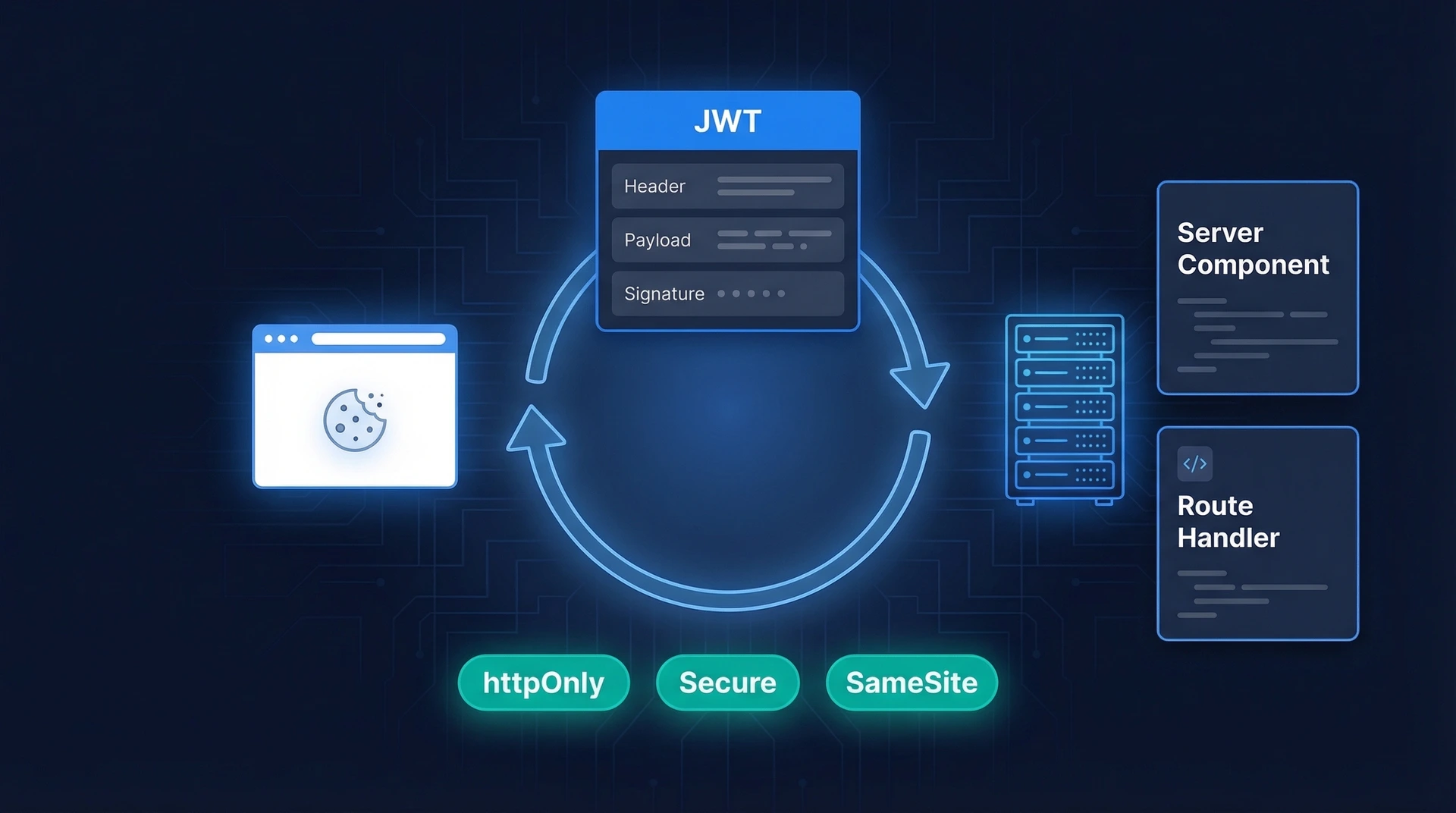

HTTP is stateless — each request arrives with no memory of what came before. A session is the layer you add on top to identify returning authenticated users. Without it, users would have to log in on every page load.
Next.js session management is more nuanced than in a traditional server-rendered app. Its hybrid architecture — Server Components, Route Handlers, and Edge Middleware all running in different contexts — means you need to be deliberate about where session data lives and how it flows through the request lifecycle.
There are two main strategies: stateful sessions, where the server stores session data and the browser holds only an opaque ID, and stateless JWT sessions, where the token itself carries the data. Both approaches store the identifier in a cookie — not in localStorage. Let's compare them before diving into implementation.
| Feature | Stateful (Server-Side Store) | Stateless (JWT in Cookie) |
|---|---|---|
| Where data lives | Database / Redis | Inside the signed token |
| Server storage needed | Yes | No |
| Instant revocation | Yes — delete the DB record | Hard — must wait for token expiry or maintain a blocklist |
| Scales horizontally | Needs shared session store (e.g. Redis) | Yes — each server validates the signature independently |
| Token size | Small (just an ID) | Larger (carries payload) |
| Best for | Apps needing fine-grained revocation (admin, banking) | Apps prioritising simplicity and horizontal scale |
Regardless of strategy, your session cookie is only as safe as its attributes. Set all four whenever you create one:
'lax' is a good default; use 'strict' for high-security apps.Route Handlers are the right place to set cookies — you cannot set cookies during Server Component rendering. Here's a login endpoint that creates a session:
// app/api/login/route.ts
import { cookies } from 'next/headers'
import { NextRequest, NextResponse } from 'next/server'
import { validateCredentials } from '@/lib/auth'
import { createSession } from '@/lib/session'

export async function POST(request: NextRequest) {
  const { email, password } = await request.json()

  // 1. Verify credentials against your database
  const user = await validateCredentials(email, password)
  if (!user) {
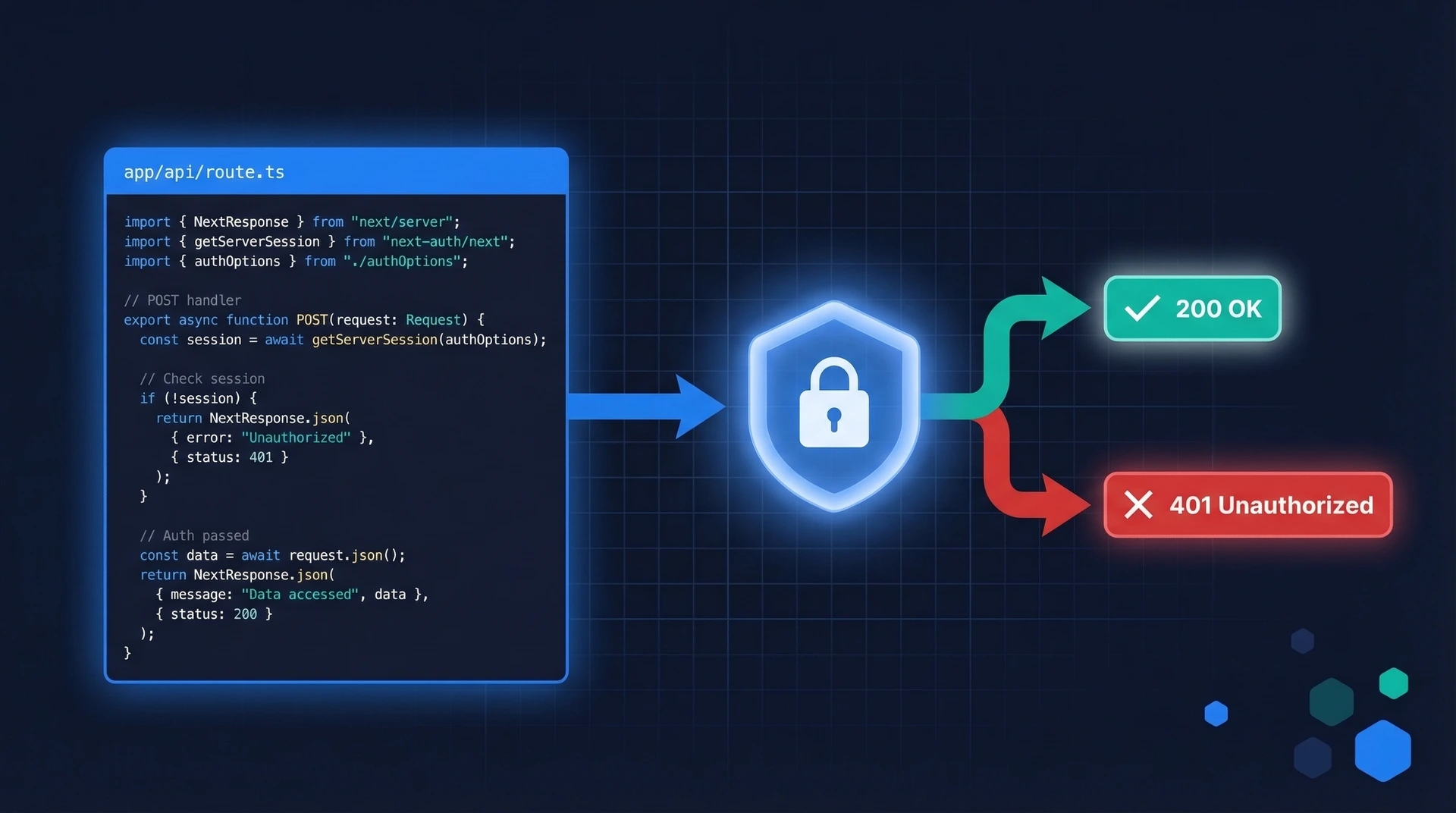
    return NextResponse.json({ error: 'Invalid credentials' }, { status: 401 })
  }

  // 2. Create a signed session token and set the cookie
  await createSession(user.id)

  return NextResponse.json({ success: true })
}
joseWarning: Never store session tokens or JWTs in
localStorageorsessionStorage. Any JavaScript on the page — including third-party scripts — can readlocalStorage, making your tokens vulnerable to XSS attacks. Always store session tokens in httpOnly cookies.
A JWT carries its own payload (user ID, role, expiry) and is cryptographically signed. The server validates the signature without a database lookup, which makes JWTs attractive for stateless sessions. The token still travels to the server via a secure cookie on every request.
josejose is the recommended JWT library for Next.js because it runs on both the Node.js runtime and the Edge Runtime used by Middleware. The server-only import prevents this module from ever being bundled into client-side code — the build will fail with a clear error if you try to import it in a Client Component.
Note: the functions below are named encrypt/decrypt following Next.js convention, but they perform signing and verification (HMAC-SHA256), not encryption. The token payload is base64-encoded, not encrypted — do not store sensitive data (passwords, PII) in the JWT payload.
// lib/session.ts
import 'server-only'
import { cookies } from 'next/headers'
import { SignJWT, jwtVerify } from 'jose'

const secretKey = process.env.SESSION_SECRET!
const encodedKey = new TextEncoder().encode(secretKey)

export type SessionPayload = {
  userId: string
  role: string
  expiresAt: Date
}

// Signs a JWT with the session payload
export async function encrypt(payload: SessionPayload): Promise<string> {
  return new SignJWT({ ...payload })
    .setProtectedHeader({ alg: 'HS256' })
    .setIssuedAt()
    .setExpirationTime('7d')
    .sign(encodedKey)
}

// Verifies a JWT and returns its payload, or null if invalid/expired
export async function decrypt(token: string): Promise<SessionPayload | null> {
  try {
    const { payload } = await jwtVerify(token, encodedKey, {
      algorithms: ['HS256'],
    })
    return payload as unknown as SessionPayload
  } catch {
    return null
  }
}

// Creates a signed session token and sets the cookie
export async function createSession(userId: string, role = 'user') {
  const expiresAt = new Date(Date.now() + 7 * 24 * 60 * 60 * 1000)
  const token = await encrypt({ userId, role, expiresAt })

  const cookieStore = await cookies()
  cookieStore.set('session', token, {
    httpOnly: true,
    secure: process.env.NODE_ENV === 'production',
    sameSite: 'lax',
    expires: expiresAt,
    path: '/',
  })
}
Generate a strong secret key and store it in your environment variables:
openssl rand -base64 32
# .env.local
SESSION_SECRET=your_generated_secret_here
A short-lived token limits the damage if it's stolen — it'll stop working soon. But forcing the user to log in every 15 minutes is poor UX. Refresh token rotation solves this: a long-lived refresh token silently issues new short-lived access tokens without requiring re-authentication.
The critical security rule: each refresh token is single-use. When the server issues a new access token, it immediately invalidates the old refresh token. If someone tries to reuse a spent refresh token, the server knows the session may be compromised and can invalidate the entire session family.
A simpler form of rotation — extending the session expiry on each active visit — is easy to implement in Next.js Middleware. This is sometimes called a sliding window session: the session stays alive as long as the user keeps using the app, but expires after a period of inactivity.
// middleware.ts
import { NextRequest, NextResponse } from 'next/server'
import { decrypt, encrypt } from '@/lib/session'

export async function middleware(request: NextRequest) {
  const sessionCookie = request.cookies.get('session')?.value
  if (!sessionCookie) return NextResponse.next()

  const payload = await decrypt(sessionCookie)
  if (!payload) return NextResponse.next()

  // Re-issue the cookie with a fresh expiry on every request
  const newExpiry = new Date(Date.now() + 7 * 24 * 60 * 60 * 1000)
  const newToken = await encrypt({ ...payload, expiresAt: newExpiry })

  const response = NextResponse.next()
  response.cookies.set('session', newToken, {
    httpOnly: true,
    secure: process.env.NODE_ENV === 'production',
    sameSite: 'lax',
    expires: newExpiry,
    path: '/',
  })

  return response
}

export const config = {
  matcher: ['/((?!api|_next/static|_next/image|.*\.png$).*)'],
}
A user who is active daily will stay logged in indefinitely; a user who disappears for 7 days will be logged out automatically. Shorten the window to 15–30 minutes for high-security apps like banking or admin dashboards.
The session cookie travels with every request, but you access it differently depending on where your code runs.
Use the cookies() function from next/headers. It's async in Next.js 15 and must be awaited:
// app/dashboard/page.tsx
import { cookies } from 'next/headers'
import { decrypt } from '@/lib/session'
import { redirect } from 'next/navigation'

export default async function DashboardPage() {
  const cookieStore = await cookies()
  const sessionToken = cookieStore.get('session')?.value
  const session = sessionToken ? await decrypt(sessionToken) : null

  if (!session?.userId) {
    redirect('/login')
  }

  return <div>Welcome back, user {session.userId}</div>
}
To avoid repeating this in every page, extract a verifySession() helper and memoize it with React's cache(). This is the Data Access Layer (DAL) pattern recommended by Next.js — it centralises auth checks and ensures the same check is never run twice in a single render pass:
// lib/dal.ts  (Data Access Layer)
import 'server-only'
import { cache } from 'react'
import { cookies } from 'next/headers'
import { decrypt } from '@/lib/session'
import { redirect } from 'next/navigation'

export const verifySession = cache(async () => {
  const cookieStore = await cookies()
  const token = cookieStore.get('session')?.value
  const session = token ? await decrypt(token) : null

  if (!session?.userId) {
    redirect('/login')
  }

  return session
})
Same cookies() API, but return a Response instead of redirecting:
// app/api/me/route.ts
import { cookies } from 'next/headers'
import { decrypt } from '@/lib/session'

export async function GET() {
  const cookieStore = await cookies()
  const token = cookieStore.get('session')?.value
  const session = token ? await decrypt(token) : null

  if (!session?.userId) {
    return new Response(null, { status: 401 })
  }

  return Response.json({ userId: session.userId, role: session.role })
}
In Middleware, read cookies from request.cookies — not from next/headers. The cookies() function from next/headers is not available in the Middleware context. See the sliding session example above, which uses request.cookies.get('session').
Middleware is the right place to redirect unauthenticated users before a page renders. For permission checks or database queries, do that inside Server Components or Route Handlers — Middleware should stay lightweight. For a deeper dive, see our guide on Next.js Middleware Authentication.
Logging out means deleting the cookie. Do this in a Server Action or Route Handler:
// app/actions/auth.ts
'use server'
import { cookies } from 'next/headers'
import { redirect } from 'next/navigation'

export async function logout() {
  const cookieStore = await cookies()
  cookieStore.delete('session')
  redirect('/login')
}
Wire it up to a logout button:
// app/ui/logout-button.tsx
'use client'
import { logout } from '@/app/actions/auth'

export default function LogoutButton() {
  return (
    <form action={logout}>
      <button type="submit">Sign out</button>
    </form>
  )
}
When decrypt() returns null — because the JWT signature is invalid or the token has expired — treat the user as unauthenticated and redirect to the login page. Never silently continue with a stale session.
For JWT-based sessions, deleting the cookie on logout is sufficient: once the cookie is gone, the token can't be sent. For stateful (database) sessions, also delete the session record from the database so the session ID can't be replayed even if the cookie is somehow recovered.
All of the above — cookie attributes, JWT signing, token rotation, session reading across Server Components and Middleware — is a significant amount of boilerplate to maintain correctly. One wrong cookie flag or an off-by-one in the token expiry can introduce real security vulnerabilities.
Authgear's Next.js SDK handles the entire session lifecycle for you: issuing and refreshing tokens, setting secure cookies, exposing the current user in Server Components and client-side hooks, and providing a pre-built logout endpoint. You get OIDC-standard sessions with refresh token rotation out of the box, without writing any of the crypto or cookie management yourself.
If you also need social logins, passkeys, or multi-factor authentication, Authgear's hosted authentication UI handles those flows too — so you can focus on building your app rather than maintaining an auth layer.
For hands-on JWT patterns that complement session management, see our article on Next.js JWT Authentication.
No — httpOnly cookies are intentionally invisible to JavaScript. If a Client Component needs user data (like a display name), fetch it from a Server Component or Route Handler and pass it down as props, or populate a context provider server-side.
SameSite: 'lax' and SameSite: 'strict'?'lax' allows the session cookie to be sent when a user follows a link to your site from an external page (e.g. clicking a link in an email). 'strict' blocks the cookie on all cross-site navigations, including top-level ones, which means users arriving from external links will appear logged out until they navigate within the site. For most apps, 'lax' gives better UX while still protecting against CSRF. Use 'strict' for apps handling particularly sensitive operations like banking or admin actions.
You can read cookies in Middleware using request.cookies, and you can modify cookies on the outgoing response (as in the sliding session example). However, you cannot set an initial session cookie in Middleware — it runs before Route Handlers, so it has no access to the authenticated user identity. The login flow should always go through a Route Handler or Server Action.
Use the sliding window pattern shown in the Middleware example: every request that carries a valid session token resets the expiry clock. Set your cookie's expires and the JWT's expiration to the same sliding window (e.g. 7 days). A user who is active daily stays logged in indefinitely; a user inactive for 7 days is logged out automatically. For stricter security, shorten the window to 15–30 minutes.
Privacy is important to us, so you have the option of disabling certain types of storage that may not be necessary for the basic functioning of the website. Blocking categories may impact your experience on the website.